
XYNC WORK MANAGEMENT SOFTWARE
Bring Tasks, Projects and Daily Work Into One Clear System
Xync helps small businesses and growing teams organise tasks, projects and recurring work from one connected platform.
Assign work to a responsible user, set priorities and deadlines, keep instructions, comments and files connected, and review the latest recorded progress without relying on scattered spreadsheets, messages or repeated follow-ups.
- Clear Ownership
- Priorities & Deadlines
- Connected Work Updates
- Completion Review
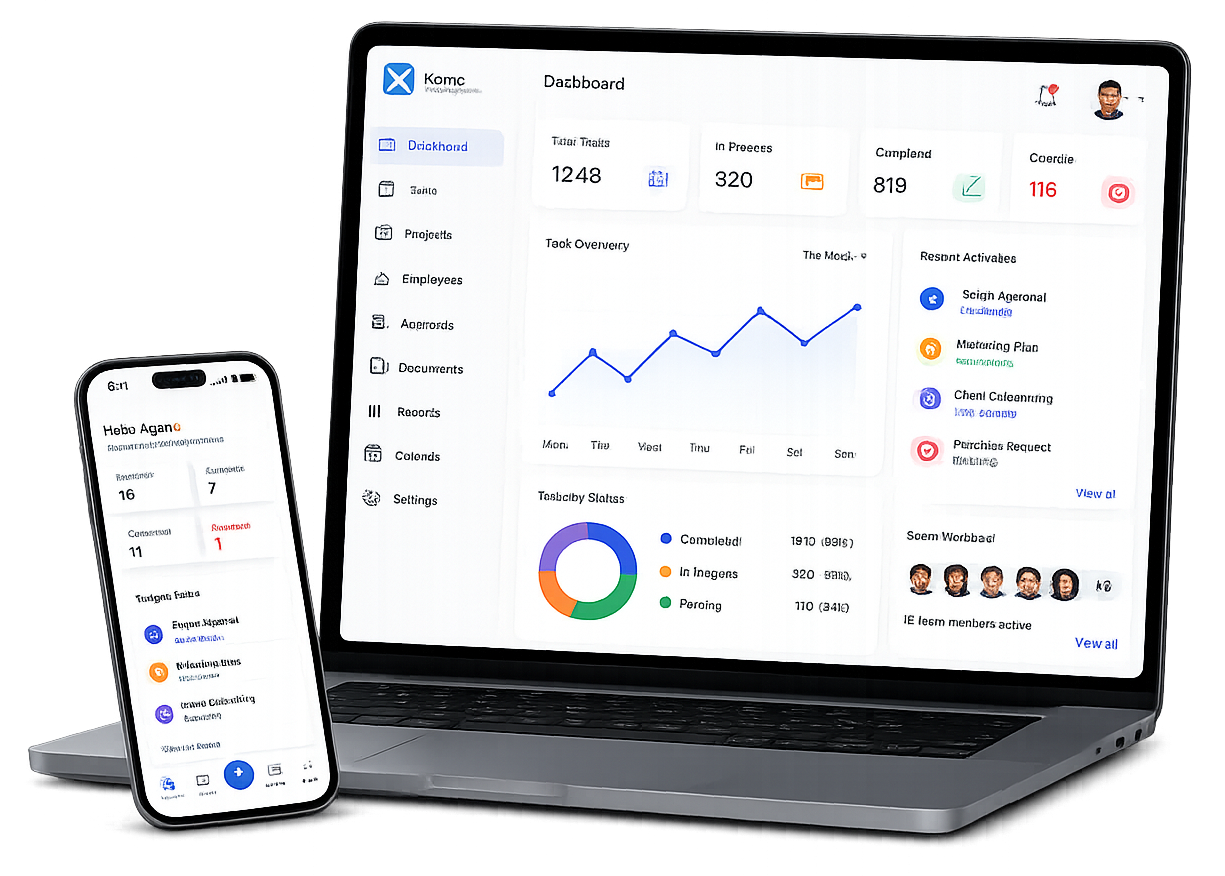
ONE CONNECTED WORKSPACE
Keep Daily Work Clear as Your Team Grows
Bring work responsibilities, updates and supporting information together in one practical system. Xync helps employees understand what needs to be done while giving managers clearer visibility into open, pending and completed work.
Simple for Employees
Give employees a clear view of their assigned tasks, instructions, priorities, deadlines and latest status.
Useful for Managers
Review task ownership, deadlines, comments and recorded progress before following up with the responsible person.
Practical for Growing Teams
Begin with a clearly defined team or process and organise more work as your operational needs develop.
Context Connected to Work
Keep instructions, comments and supporting files associated with the relevant task or work record.
THE DAILY BUSINESS CHALLENGE
Disconnected Tools Make Everyday Work Harder to Manage
Many businesses coordinate work through spreadsheets, emails, phone calls and chat messages. These tools help people communicate, but they do not always provide one clear view of ownership, deadlines, work context and completion status.
As the volume of work grows, managers spend more time collecting updates and employees find it harder to understand what needs attention first.
Unclear Ownership
People may not know who is responsible for an activity, what result is expected or when the work is due.
Scattered Work Information
Instructions, files and updates may be spread across separate messages, spreadsheets and folders.
Missed Deadlines and Follow-Ups
Work can be delayed when due dates, responsibilities and pending actions are not recorded clearly.
Uncertain Completion
A task may be marked finished without a clear review of whether the expected result was delivered.
HOW XYNC HELPS
Organise Work Around Clear Responsibility
Xync gives teams a structured way to create work, assign responsibility, record progress and confirm completion.
Create and Assign Tasks
Create structured tasks with a title, instructions, responsible user, priority, deadline and status.
Coordinate Project Work
Group related activities under projects so teams can organise work connected to a larger objective.
Structure Recurring Work
Define how recurring business activities should move across responsibilities, reviews and completion points.
Keep Work Context Together
Add comments, updates and supporting files to the relevant task so people can understand the work without searching through separate conversations.
Review Task Completion
Selected tasks can enter a completion-review stage before the responsible reviewer confirms that the work is complete.
Identify Work That Needs Attention
Use the recorded status, priority and deadline to identify pending, delayed or completed work in the available views.
A SIMPLE WAY TO MANAGE WORK
Move Work from Assignment to Completion in Five Clear Steps
1
Create the Work
Add a clear task title, instructions and the information needed to understand the expected outcome.
2
Assign Responsibility
Assign the task to a responsible user so ownership is clear from the beginning.
3
Set Priority and Deadline
Record the priority and due date so the responsible person understands what requires attention and when.
4
Update and Review Progress
Update the task status, add comments and associate supporting files as the work progresses.
5
Confirm Completion
Where completion review is required, the responsible reviewer can check the work before confirming it as complete.
CHOOSE THE RIGHT WAY TO ORGANISE WORK
Use Tasks, Projects and Workflows for Different Types of Work
Use a Task When
One clearly defined action must be assigned to a responsible person and completed by an agreed date.
Use a Project When
Several related activities must be coordinated to deliver a larger outcome.
Use a Workflow When
Recurring work follows a repeatable sequence involving responsibilities, handoffs or review points.
BUILT FOR PRACTICAL BUSINESS WORK
Help Different Roles Understand What Needs to Happen Next
Managers can review: -
- Business Owners
- Operations Managers
- Project Coordinators
- Employees
- Deadline
Track Work Without Continuously Monitoring People
- Who is responsible for a task
- What needs to be completed
- The task priority
- The deadline
- The latest recorded status
- Related comments
- Supporting files
- Whether completion review is pending
SEE XYNC IN ACTION
Bring More Clarity to Your Daily Business Operations
See how Xync can help your team create work, assign responsibility, set priorities and deadlines, keep updates connected and review completion.
Request a walkthrough using a task or recurring activity from your own business so the demonstration can focus on your actual requirements.
Frequently Asked Questions
What is Xync?
Xync is work-management software that helps teams organise tasks, projects and recurring business work around clear ownership, priorities, deadlines and recorded progress.
Who is Xync designed for?
Xync is designed for small businesses and growing teams that need a more structured way to assign work, keep information connected and follow progress.
What information can be included in a task?
A task can include a title, description, responsible user, priority, deadline and status. Comments and supporting files can also be connected to the task where available.
Can tasks be reassigned?
Tasks can be reassigned to another responsible user, subject to the current access controls.
How can I see Xync in action?
You can request a demonstration and provide an example of the work or process you want to organise.
Can a task require completion review?
Yes. In the supported task workflow, a task can enter a Waiting for Approval state before the responsible reviewer confirms completion.
Is Xync employee-monitoring software?
Xync focuses on work ownership, priorities, deadlines, status and completion. It is not positioned as continuous employee-surveillance software.
Does Xync automate every business process?
No. The current scope described on this website focuses on structured work management, task coordination, selected task notifications and task-completion review. Broader automation features should be evaluated according to the currently supported product release.
What is the difference between a task, project and workflow?
A task is one defined action. A project coordinates several related activities toward a larger outcome. A workflow structures recurring work that moves through repeatable responsibilities or review points.